Synology Handbücher
Anleitungen
Kategorien

Synology Manuals
Overview
Synology Manuals refer to the official documentation provided by Synology, a leading manufacturer of network-attached storage (NAS) devices, network video recorders (NVR), and related software. These manuals are designed to guide users through the setup, configuration, maintenance, and advanced usage of Synology hardware and software. They are an essential resource for both newcomers and experienced users, offering step-by-step instructions, troubleshooting tips, and best practices to maximize the functionality and security of your Synology system.
What You Can Find in Synology Manuals
Hardware Setup and Installation
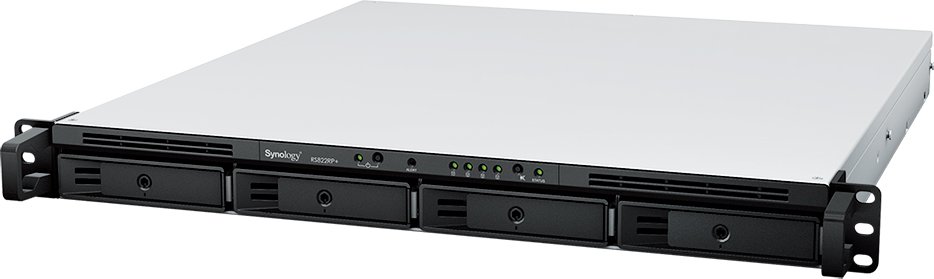
Synology manuals typically begin with hardware overview and physical setup. This includes unpacking, hardware specifications, and installation instructions for NAS models, expansion units, and compatible accessories. You will find guidance on installing drives, configuring RAID arrays, and initial power-on procedures. Detailed diagrams and model-specific notes help ensure a correct and safe installation.
Disk Management and Storage Pools
A core topic in Synology manuals is disk management. You will learn how to create, manage, and monitor storage pools, volumes, and shared folders. The manuals cover different RAID types supported by Synology devices, guidance on when to use RAID 0, 1, 5, 6, 10, SHR, and other configurations, as well as hot-swapping drives and rebuilding arrays.
Network and Connectivity
Manuals explain network configuration essentials, including Ethernet settings, link aggregation, VLANs, and Wi-Fi capabilities for Synology devices with wireless adapters or mesh support. You’ll get step-by-step instructions for configuring remote access, DDNS, VPN, and firewall settings to ensure secure connectivity to your NAS from local or remote networks.
DiskStation Manager (DSM)
DSM is the core operating system for Synology NAS devices. Manuals provide comprehensive coverage of DSM features, including user management, shared folders, access control, and service configurations. Expect sections on package center apps, system updates, resource monitoring, and task automation through scheduled tasks and the Task Scheduler.
User and Access Management
You will find guidance on creating and managing user accounts, user groups, and permissions. The manuals explain access control lists, shared folder permissions, application privileges, and security best practices to maintain data privacy and prevent unauthorized access.
Data Protection and Recovery
Synology manuals emphasize backup solutions, snapshot technology, and disaster recovery options. Learn how to configure Hyper Backup, Synology Drive, snapshots for shared folders and LUNs, and how to restore data in various scenarios. There are also recommendations for backup strategies, retention policies, and cross-site replication.
Multimedia and Collaboration Apps
Manuals often detail multimedia features such as Photos, Video Station, Audio Station, and Moments, along with collaboration tools like Synology Office and Synology Drive. Instructions cover syncing, indexing, media transcoding, sharing policies, and how to optimize performance for media streaming and collaboration workflows.
Security and Compliance
Security-focused sections teach how to implement account protection, 2-step verification, IP blocking, auto-block, firewall rules, and security advisories. The manuals also cover encryption options for drives and shared folders, secure remote access, and best practices to safeguard against ransomware and data breaches.
Maintenance and Troubleshooting
Routine maintenance topics include updating DSM and package apps, checking system health, SMART monitoring, and drive health checks. Troubleshooting guides offer common error codes, diagnostic steps, and escalation paths for hardware and software issues.
Updates and Upgrades
Manuals describe how to upgrade DSM, packages, and firmware while minimizing downtime. They often include guidance on backup before updates, rollback procedures, and compatibility notes for new features.
FAQs and Model-Specific Variants
Given the variety of Synology models, manuals provide model-specific sections that address peculiarities of different NAS sizes, CPU configurations, memory requirements, and supported features. Frequently asked questions help users quickly locate answers to common setup or usage questions.
How to Use Synology Manuals Effectively
Step-by-Step Guides
Most manuals are organized into step-by-step procedures that walk you through configurations from initial setup to advanced features. Following these guides helps reduce misconfigurations and ensures reproducible results.
Visual Aids and Diagrams
Diagrams, screenshots, and flowcharts accompany instructions to clarify complex processes. Use these visuals to verify that your hardware connections and settings align with documented examples.
Search and Indexing
Utilize the manual’s index or built-in search to quickly locate topics such as “VPN setup,” “RAID,” or “Hyper Backup.” This saves time and narrows down relevant sections.
Model and Version Identification
Always confirm your model number and DSM version when consulting manuals. Features and steps can vary between models and software versions, so reference the correct guide.
Cross-Reference with Community Resources
In addition to official manuals, Synology’s community forums, knowledge base, and product pages can provide practical tips, troubleshooting threads, and peer experiences that complement the manuals.
Accessibility and Availability
Formats
Synology manuals are available in multiple formats, including online HTML documentation, downloadable PDFs, and in some cases, interactive help within DSM. This variety allows users to access content offline or on devices with varying connectivity.
Language Support
Documentation is offered in several languages to accommodate a global user base. If your preferred language is unavailable for a specific manual, you may rely on automatic translation features in some environments or seek translated community resources.
Updates
Manuals are updated alongside DSM and package releases. It’s advisable to review the latest version during major upgrades to ensure you have current procedures and notes about any deprecations.
Practical Scenarios Where Synology Manuals Shine
First-Time NAS Setup
For first-time users, the hardware setup, DSM installation, and initial configuration sections are invaluable. The manuals guide through drive installation, creating volumes, setting up users, enabling remote access, and applying basic security measures.
Data Backup and Recovery Planning
If you’re designing a backup strategy, the data protection chapters help you select appropriate backup targets, configure versions and retention, and implement disaster recovery workflows using Hyper Backup and Synology Drive.
Media Server Deployment
Deploying a media-centric NAS for streaming and organization is streamlined by the multimedia app sections. You’ll learn how to index libraries, configure transcoding for different clients, and manage sharing permissions for家庭 or work scenarios.
Small Office or Remote Work
For business environments, the manuals cover user management, access control, VPN setups for remote workers, and collaboration tools that integrate with active directory or LDAP servers when applicable.
Final Thoughts
Synology Manuals serve as a comprehensive, model-specific, and version-aware resource that empowers users to deploy, manage, and protect a NAS ecosystem effectively. By following the detailed instructions, you can optimize performance, ensure data integrity, and maintain robust security across your Synology devices and applications.
Suche nach 166 Anleitungen online


Marke oder Modell eingeben